ERP Software: One System for Your Books, Inventory, Purchasing and Orders
ERP software is one system of record for a company's finances, inventory, purchasing and orders. A month-end close that takes days is one of the clearest signs you've outgrown accounting software and a few tools.
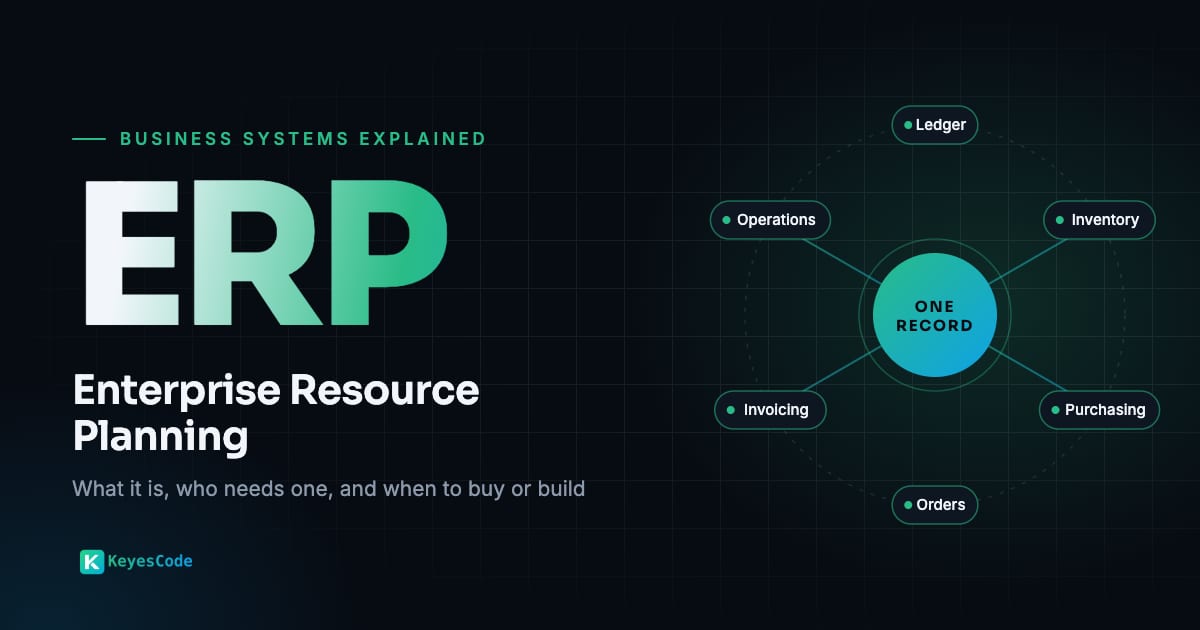
Enterprise resource planning (ERP) software is a single system of record for the money and the materials in a business: the general ledger, inventory, purchasing, sales orders, invoicing and the operations that connect them. Instead of accounting, the warehouse and the sales team each keeping their own version of the truth, an ERP records every transaction once and lets every department work from the same numbers.
The rest of this guide covers what an ERP actually does, the signs you need one, how it differs from a CRM, and when buying a packaged ERP is the right call versus having one built around how your business runs.
What ERP software does
An ERP connects the processes that move goods, services and cash through a company. A sale is the easiest way to see it. A customer places an order, the system checks stock, reserves it, tells the warehouse to pick and ship it, issues the invoice, records the receivable and posts the revenue to the general ledger. On the other side, a buyer raises a purchase order, the goods arrive and are received into inventory, the supplier's invoice is matched against both, and the payable is posted and paid.
Without an ERP, each of those steps tends to live in a different tool: accounting software for the ledger, a spreadsheet for stock, email for purchase orders, and someone re-keying totals between them at month end. Each hand-off is a chance for the numbers to disagree.
An ERP's job is to remove those hand-offs. Most products are sold as modules on a shared database, so a business can start with finance and inventory and add manufacturing, projects or payroll later.
Who needs an ERP
Very small businesses rarely need one. Accounting software plus a few well-chosen tools is usually enough until the business has physical inventory, more than one location, or more than a handful of people touching the same orders. The signs you have outgrown that setup are fairly consistent:
- Month-end close takes days, because someone has to pull figures from several systems and reconcile them by hand.
- Nobody trusts the stock count. The spreadsheet says one thing, the shelf says another, and sales promises inventory you don't have.
- Orders are re-typed. A sale is entered in the store or CRM, again in accounting, and again in a shipping tool.
- Purchasing runs on email and memory. There is no clean record of what was ordered, what arrived and what was billed.
- You can't answer simple margin questions (which products, customers or jobs actually make money) without a day of spreadsheet work.
- You are adding entities, warehouses or currencies, and the accounting tool wasn't built for it.
Distributors, wholesalers, light manufacturers, multi-location retailers and product-based e-commerce brands hit these first. Service businesses with no inventory often get further on accounting software plus a professional services tool before an ERP makes sense.
Core ERP features
Module names vary by vendor, but the core of nearly every ERP looks like this:
| Module | What it handles | Who uses it most |
|---|---|---|
| Financials and general ledger | Chart of accounts, journal entries, accounts payable and receivable, bank reconciliation, period close, financial statements | Finance and accounting |
| Inventory | Stock levels by location, lot and serial tracking, transfers, cycle counts, valuation | Warehouse and operations |
| Purchasing | Purchase requisitions and orders, supplier records, receiving, matching supplier invoices | Buyers and accounts payable |
| Order-to-cash | Quotes, sales orders, fulfillment, invoicing, payments, collections | Sales operations and accounts receivable |
| Manufacturing | Bills of materials, work orders, production planning, material requirements | Production and planning |
| Reporting | Margin, cash, inventory and operational reports from one data set | Owners and managers |
The value is less in any single module than in the fact that they share one database. A goods receipt updates inventory and the books at the same moment, so the reports are only as late as the last transaction.
ERP vs CRM
The two get confused because both are big, central systems that "run the business." They run different sides of it.
A CRM (customer relationship management) manages the relationship before and around the sale: leads, contacts, the sales pipeline, marketing campaigns and support history. Its users are sales, marketing and customer service, and its core question is "who should we talk to, and what did we say?"
An ERP manages operations and money: inventory, purchasing, fulfillment, invoicing, payables and the books. Its users are finance and operations, and its core question is "what do we have, what do we owe, and what did we earn?"
Most growing businesses end up with both, connected. The deal is won in the CRM, becomes a sales order in the ERP, and the invoice status flows back so the account manager can see whether the customer paid. Some ERPs include a basic CRM module and some CRMs bolt on quoting and orders, but each is usually weaker at the other's job. Connecting the two cleanly is often more valuable than trying to make one do everything.
Off-the-shelf ERP vs a custom build
For most small and mid-size businesses, the right answer is to buy. Well-known ERP products such as NetSuite, Microsoft Dynamics 365 Business Central, SAP Business One, Acumatica and Odoo exist because general ledgers, inventory valuation and period close follow well-established accounting rules that most companies share. Rebuilding that from scratch is rarely a good use of money.
| Factor | Off-the-shelf ERP | Custom-built system |
|---|---|---|
| Time to start | Faster. Core modules exist and a partner can configure them. | Slower. The workflow has to be designed and built first. |
| Cost structure | Subscription, often per seat, plus implementation. Grows with headcount and modules. | An upfront build cost, then hosting and maintenance. Doesn't grow per user. |
| Accounting rules | Built in and maintained by the vendor, including multi-currency; sales tax is often handled by an add-on. | Have to be built and kept correct, or delegated to an accounting system you integrate with. |
| Fit to your workflow | You adapt to the product's process, with configuration and some customization. | The system follows how your team actually works. |
| Connecting other systems | Standard connectors for popular tools; anything unusual needs custom integration work. | Integrations are designed in from the start. |
| Who wins when the process is standard | Off-the-shelf. A typical distributor or retailer gets more for less by buying. | Rarely worth it. You pay to rebuild what already exists. |
Custom wins in a narrower set of cases:
- The workflow is the differentiator. If the way you quote, build, schedule or fulfill is what customers pay you for, forcing it into a generic order flow throws that away.
- The system has to tie several others together. Many businesses don't need a new ledger; they need the store, the warehouse, the CRM and the accounting tool to stop disagreeing. A custom layer that orchestrates them is often cheaper and less disruptive than replacing everything.
- Seat pricing stops making sense. When dozens of warehouse or field staff each need light access, per-seat licenses can outgrow the value they get.
The most common middle path is to keep a proven accounting system or ERP for the books and build custom software around it: an order portal, a production tracker, an integration hub. We go deeper on that trade-off in custom software vs off-the-shelf platforms, and on what drives a build's price in how much custom software development costs.
Where AI automation fits around an ERP
An ERP is full of work that is repetitive, rule-based and still done by people because the inputs arrive as emails, PDFs and exceptions. That is where AI automation helps. A few examples specific to ERP work:
- Matching supplier invoices to purchase orders and receipts. An AI agent reads each incoming invoice, finds the purchase order and the goods receipt it belongs to, and approves matches that fall within the tolerances you set. Anything that doesn't line up, such as a price that changed, a short shipment or a missing receipt, goes to a person with the discrepancy already highlighted.
- Turning customer purchase orders into sales orders. Many B2B customers still email PDF purchase orders. An agent can extract the lines, map them to your item numbers and pricing, and create a draft sales order for someone to confirm rather than re-type.
- Speeding up month-end close. AI can suggest matches between bank transactions and ledger entries, flag accounts whose balances moved unusually, and draft a plain-language explanation of variances for review.
- Chasing receivables. Based on the aging report, an agent can draft collection emails tailored to each customer's history and route the ones that need a phone call to the right person.
The common thread is that the ERP stays the system of record and the AI works around it, reading the documents, proposing the entry and handing the judgment calls to a human. That is the kind of work we build in our AI automation practice.
How KeyesCode scopes a build like this
We start by mapping one flow end to end, usually order-to-cash or procure-to-pay, and marking every place data is re-keyed or a decision waits on someone's inbox. That map tends to make the answer clear: buy an ERP, connect the systems you already have, or build the piece no product covers. When a build is the right call, we keep the ledger in a proven accounting system, build the workflow-specific parts as custom software, and add AI only where a measurable chunk of manual work disappears. If the honest answer is to buy a packaged ERP, we'll say so.
Related systems in this series
Frequently asked questions
What is ERP software in simple terms?
ERP software is one shared system for the money and materials in a business. It records the general ledger, inventory, purchasing, sales orders and invoices in a single database, so accounting, the warehouse and sales all work from the same numbers instead of reconciling separate tools.
Does a small business need an ERP?
Usually not at first. Accounting software and a few good tools are enough until you carry physical inventory, run more than one location, or have several people handling the same orders. Slow month-end closes, untrusted stock counts and orders typed into several systems are the signs it is time to look at one.
What is the difference between ERP and CRM?
A CRM manages the customer relationship before and around the sale: leads, contacts, the pipeline and support history. An ERP manages operations and money: inventory, purchasing, fulfillment, invoicing, payables and the books. Most growing businesses use both and connect them, so a won quote becomes a sales order and payment status flows back.
Is QuickBooks an ERP?
Not in the usual sense. QuickBooks is accounting software, built around the books. Some editions add inventory and purchasing features, but an ERP runs finance, inventory, purchasing, order management and operations together on one database. Many small businesses start on accounting software and move to an ERP, or connect other systems to it, as operations grow.
Should I buy an ERP or build a custom one?
Most small and mid-size businesses should buy, because ledgers, inventory valuation and period close follow well-established accounting rules. A custom build makes sense when your workflow is what customers pay for, when the real problem is getting several existing systems to agree, or when per-seat licensing for many light users stops making sense.
How can AI help with ERP work?
AI handles the repetitive work around the ERP. It can match supplier invoices to purchase orders and receipts and flag the exceptions, turn emailed customer purchase orders into draft sales orders, suggest bank reconciliation matches at month end, and draft collection emails from the aging report. People still review the exceptions.
Not sure whether to buy, customize or build?
Tell us what you run today and where it falls short. We'll give you a straight answer on your best option, even if that's a product you can buy.