Meet the KeyesCode AI Receptionist: 24/7 Calls, Chat, and Scheduling
We just launched the KeyesCode AI Receptionist—a 24/7 phone, SMS, and web chat agent that answers questions, books appointments, qualifies leads, and hands off to your team when needed.
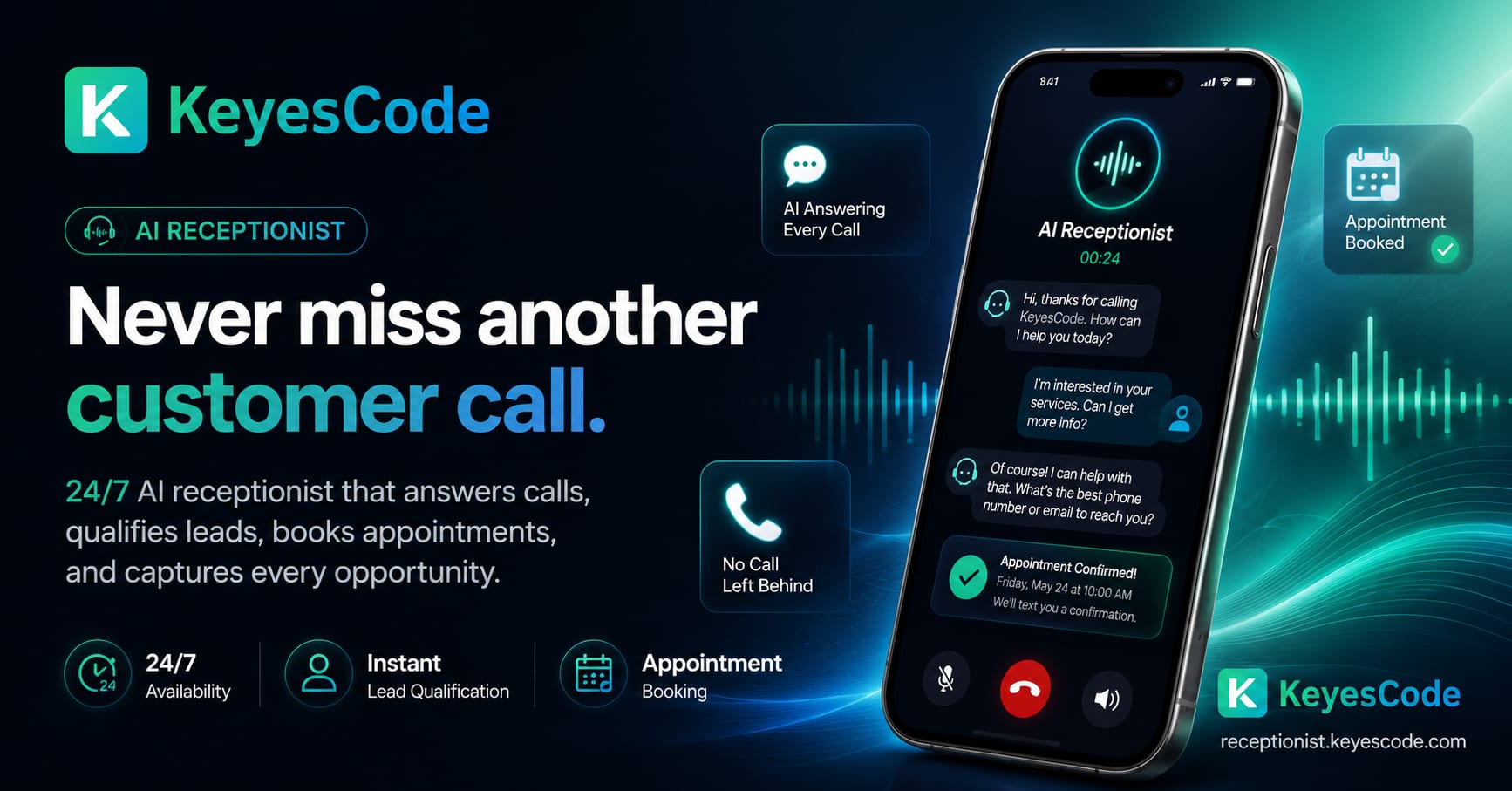
Your phones never stop ringing, but your team does. The KeyesCode AI Receptionist is here to bridge that gap. It picks up every call, text, and chat—anytime—answers routine questions with your exact policies, books appointments, gathers and routes leads, and brings a human in when the situation calls for it. You get responsiveness without adding headcount, and customers get answers without waiting on hold.
See it in action or get started at https://receptionist.keyescode.com.
What is an AI receptionist?
An AI receptionist is software that answers your phone and messages like a trained front-desk staffer—greeting callers, understanding what they need, booking appointments, routing to the right person, and handling routine questions. It uses speech recognition, a conversational AI model, and your systems (calendar, CRM, help desk) to complete tasks. For many small and mid-sized businesses, it can cover nights, weekends, overflow, or even serve as the primary receptionist—at a fraction of the cost of a full-time hire.
Think of it as an AI answering service that doesn't just take a message; it does the job a front-desk receptionist would do, on every call, at any hour. Unlike voicemail, it responds. Unlike a traditional answering service that reads from a script and emails you a note, it books directly into your calendar and confirms by text.
If you’ve used a rigid phone tree (IVR), this is different. Callers can speak normally, change their minds mid-sentence, and ask follow-ups. The AI manages turn-taking, interrupts when needed, and stays on task.
What the AI Receptionist does, in plain terms
- It answers 24/7 on phone, SMS, and web chat so you never miss a lead.
- It books appointments on your calendar and confirms by text or email.
- It qualifies and routes leads to the right person or inbox.
- It answers FAQs from your website, intake forms, and internal docs.
- It hands off to staff by warm transfer or scheduled callback when appropriate.
- It logs every interaction and updates your CRM or help desk.
If you’ve ever lost a customer to voicemail or a full inbox, this fixes it.
What happens on a call, step by step
The mechanics are simpler than the hype around AI suggests. Here's the flow for the KeyesCode AI Receptionist:
- A call comes in. The AI answers on the first ring — in under a second, day or night. No hold music, no "please leave a message."
- It has a real conversation. It understands what the caller needs — a quote, an appointment, a callback — using the same large language models that power modern AI systems, tuned to your business.
- It books directly into your calendar. When the caller wants an appointment, the AI checks availability and books it into your calendar there and then. The customer gets an SMS confirmation.
- It logs and scores every lead. Every call is transcribed, scored, and logged, so you have a record of who called, what they wanted, and how ready they were to buy.
- It hands off to a human when needed. For calls that need a person — a complex quote, an upset customer, an edge case — it routes to your team instead of guessing. You stay in control.
Nothing here replaces your judgment. It captures the call you would have lost and gives you a clean record to act on.
Who it’s for (and not for)
- Great fit for: local services (home services, dental/medical, legal, real estate), agencies, ecommerce support, repair shops, and any team that fields the same questions all day.
- Not ideal if: your calls are mostly high-stakes emergencies requiring a licensed professional on every call, or if you have no interest in documenting policies/FAQs.
When to invest—and when to wait
Invest now if you:
- Miss calls or rely on voicemail
- Have appointment-heavy workflows
- Get repetitive FAQs that consume staff time
- Need after-hours coverage or multilingual support
Wait or limit scope if you:
- Have highly sensitive or complex calls that require licensed staff judgment
- Lack stable processes or up-to-date documentation
- Can’t integrate calendars/CRMs yet (start with FAQs and routing only)
How it works under the hood
- Speech and chat: Calls are transcribed in real time, the agent responds conversationally, and texts/web chats are handled with the same knowledge base.
- Your data, not generic scripts: We build a private knowledge base from your website, PDFs, intake docs, and FAQs. The agent cites those sources when answering.
- Safe actions via integrations: The agent schedules appointments, creates tickets, and updates CRMs through secure, auditable functions—no free-form guesswork.
- Guardrails and fallbacks: If it’s unsure or a policy is missing, it asks clarifying questions or offers to escalate to a human. It won’t invent answers.
Behind the scenes we orchestrate speech-to-text, an LLM for reasoning, retrieval from your knowledge base, and function calls to your systems—managed on cloud infrastructure we maintain and monitor. If you need deeper customization, we build that too through our AI and custom software services: https://www.keyescode.com/services/ai and https://www.keyescode.com/services/custom.
The technical stack (deeper dive)
- Telephony and streaming: SIP/PSTN to a real-time media server (often Twilio). Key features: low jitter, barge‑in support, DTMF handling, call recording consents.
- Automatic speech recognition (ASR): Domain-tuned models improve accuracy on names, services, and jargon. Use custom dictionaries and biasing.
- Dialog manager: A state machine around the LLM to enforce business logic—who can book what, when to confirm, and when to escalate.
- Tools and APIs: Calendars (Google, Microsoft 365), CRMs (HubSpot, Salesforce), ticketing (Zendesk, Freshdesk), messaging (SMS, WhatsApp), email.
- Knowledge retrieval (RAG): Index your policies, services, and procedures. Responses cite sources and stick to approved content.
- Voice synthesis (TTS): Choose a clear voice with proper prosody. Speed and pitch should match your brand; allow for multilingual voices.
- Analytics: Intent distribution, first-contact resolution, booking conversion, deflection rate, average handle time, abandonment.
- Security: OAuth and scoped API keys, PII redaction, encrypted storage, access logs, and retention controls.
Channels and integrations you can expect
- Phone: Forward your main line after a few rings or run the AI as first answer. Supports warm transfer to your on-call staff.
- SMS: Send confirmations, reminders, directions, and quick Q&A over text.
- Web chat: Drop a lightweight widget on your site or integrate with your existing chat.
- Calendar and scheduling: Connect Google Calendar, Outlook, Calendly, or your in-house system.
- CRM and help desk: Sync to HubSpot, Salesforce, Pipedrive, Zendesk, or a custom stack via API.
- Notifications: Post to Slack or email with transcript, disposition, and next steps.
If you operate unique systems, we can integrate them. Our cloud and SaaS teams handle custom connectors and secure deployments: https://www.keyescode.com/services/cloud and https://www.keyescode.com/services/saas.
Voice, chat, or both?
Answer first: Use voice for calls and offer chat for your site and SMS. The best deployments share one brain (intents, knowledge, integrations) across channels.
- Voice: Great for appointment-heavy businesses, service trades, healthcare, and professional services. Needs strong ASR and latency under ~600 ms.
- Chat/SMS: Perfect for quick FAQs, lead capture, order status, and after-hours triage on your site or app.
- Unified routing: Keep one queue and one view of interactions across channels.
KeyesCode often deploys voice via Twilio and web chat on your site, reusing the same policies and knowledge. See our AI services: https://www.keyescode.com/services/ai and AI consulting: https://www.keyescode.com/services/ai-consulting.
Common use cases (and what to avoid)
- Appointment management: Create, reschedule, cancel, and confirm with calendar holds and SMS reminders.
- Intake and qualification: Collect name, contact details, reason for call, service area, budget, insurance carrier, etc.
- FAQs: Hours, directions, service radius, insurance networks, price ranges (avoid quoting final prices unless you truly can).
- Smart routing: On-call escalation, sales vs. support, VIP routing.
- Order status and simple changes: Shipment tracking, policy lookups, resends.
- Payments: Possible, but risky. Use PCI-compliant flows or send a secure link. Don’t capture card numbers in free-form conversation.
AI receptionist vs. voicemail and answering services
- Voicemail doesn't sell. Most callers hang up and dial a competitor. You find out you lost the job days later, if at all.
- Human answering services cost more per hour, keep business hours or charge premiums for nights and weekends, and usually take a message rather than booking the appointment. Your team still has to follow up.
- An AI receptionist answers in under a second, 24/7, books the appointment on the spot, sends an SMS confirmation, and logs the lead — then escalates to a human only when it should.
Speed is the feature. The business that answers first usually wins the job.
What makes the KeyesCode approach different
- Built around your policies: We don’t force generic scripts. We codify your intake rules, pricing ranges, service areas, and exceptions—then test them.
- Controlled autonomy: The agent can schedule, collect payment links, or create tickets—but only through explicit, logged functions. You keep control.
- Human-friendly escalation: Clear handoff paths with summaries so staff pick up where the agent left off, not from scratch.
- Iterative tuning: We review transcripts, optimize prompts and knowledge, and add automations as we learn your patterns.
- You’re not locked in: Your data and integrations remain yours. Need to extend it into a mobile app or internal tool? We can do that: https://www.keyescode.com/services/mobile and https://www.keyescode.com/services/custom.
Business outcomes you can count on
- Fewer missed calls: Every after-hours and peak-hour inquiry gets answered.
- More booked appointments: Frictionless scheduling beats voicemail every time.
- Shorter handle time: FAQs get answered fast, and complex cases get to the right human.
- Higher lead quality: Structured intake means reps spend time on real opportunities.
- Measurable ROI: Track answer rate, booking rate, conversion by channel, and cost per booking.
We’ll help you define baselines and targets during onboarding, then report against them in a shared dashboard.
Example conversations
Service business intake (HVAC)
- Caller: “Do you handle heat pump repairs in Riverview?”
- AI: “Yes, we service Riverview. Are you seeing an error code or unusual noise? I can book a diagnostic visit.”
- Caller: “Code E6.”
- AI: “Thanks. That suggests a communication fault. Our diagnostic visit is $89 and we credit it toward repair. I can get someone tomorrow between 10–12 or 2–4. Which works?”
- Caller: “10–12.”
- AI: “Booked. You’ll get a text confirmation. If anything changes, reply to reschedule. Would you like us to email care tips for tonight?”
Clinic scheduling with triage
- Patient: “I need a cleaning and I’m a new patient.”
- AI: “Welcome. I can schedule that. Any pain, swelling, or bleeding today?”
- Patient: “No, just a checkup.”
- AI: “Great. New patient cleanings are 60 minutes. I have next Tuesday at 9:30 AM or Wednesday at 2 PM. Which is better?”
- Patient: “Wednesday.”
- AI: “Booked for Wednesday at 2 PM. Please complete the intake form I just texted so we can verify insurance.”
Ecommerce return support
- Customer: “I got the wrong size.”
- AI: “I can help. What’s your order number?”
- Customer: “#45321.”
- AI: “Thanks. I’ve created a prepaid return label and requested a size M. You’ll get both by email. Anything else?”
What a missed call actually costs
This is where the decision gets simple. Run your own math, but here's the framing.
Say your average job is worth $1,500. If you miss ten calls a month and just two of them would have become customers, that's $3,000 in lost revenue — every month. Over a year, $36,000 from a phone that rang while nobody could pick up.
An AI receptionist only has to capture one of those calls to pay for itself many times over at that average order value. That's the ROI-first way to look at it: not "how much does the tool cost" in isolation, but "what does one recovered $1,500 job cover?" For most service businesses, the answer is: the whole thing, with room to spare.
What the technology costs to run (ballpark)
These are the underlying usage costs of running an AI receptionist, not a KeyesCode quote. Our own pricing is covered under "Pricing and timeline" below.
Direct costs depend on minutes, channels, and integrations. Typical monthly ranges:
- Telephony minutes: $0.01–$0.03/minute
- Speech recognition + synthesis: $0.01–$0.05/minute combined (varies by vendor and quality)
- Conversational AI (LLM): $0.002–$0.01/minute equivalent for typical appointment/FAQ traffic
- Platform and integrations: $50–$500/month depending on features and SLAs
Example: 1,000 minutes per month of inbound calls, moderate complexity
- Telephony: ~$20
- ASR + TTS: ~$30–$50
- LLM: ~$10–$30
- Platform/integrations: ~$150–$300
- Total: ~$210–$400/month
Compare to a full-time receptionist ($38,000–$55,000 salary + taxes/benefits) or an after-hours service that charges $1–$2/minute. You’ll still want a human backup for edge cases, but the ROI is often clear within the first quarter.
Build vs. buy: which path is right for you?
Buy a platform if:
- Your needs are common (booking, FAQs, basic routing)
- You want speed to value (go live in days)
- You’re fine with their voice options, analytics, and vendor lock-in
Build a custom solution if:
- You need deep, unique integrations or complex workflows
- You have compliance needs (HIPAA, SOC 2, on-prem data)
- You want a unified AI that powers calls, chat, SMS, and your app with one codebase
- You expect significant scale or want to own your data and roadmap
KeyesCode builds both: custom AI agents and integrations (https://www.keyescode.com/services/custom, https://www.keyescode.com/services/ai), and productized SaaS for recurring needs (https://www.keyescode.com/services/saas). We can also host and harden your stack in the cloud (https://www.keyescode.com/services/cloud).
Onboarding: from kickoff to go‑live in days, not months
- Discovery (30–60 min): Goals, call/chat volume, service regions, calendars, and escalation rules.
- Knowledge build: We pull from your website and docs, then draft FAQs and policies for your approval.
- Integration setup: Connect calendars, CRM/help desk, and notification channels.
- Conversation design: Intake scripts, disambiguation prompts, and transfer logic.
- Testing: We run role-play calls and edge-case scenarios; you review transcripts.
- Go‑live: Soft launch on a tracking number or limited hours, then full deployment.
- Ongoing optimization: Weekly reviews, new FAQs, and automation adds as we learn.
Prefer a phased rollout—after-hours first, then daytime overflow? We support that.
An implementation plan you can follow
- Identify the first 2–3 intents to automate
- Appointments (create/reschedule/cancel)
- FAQs (hours, directions, insurance)
- Routing (sales vs. support, on-call)
- Prepare the knowledge base
- Start small and accurate: 10–20 policies or FAQs
- Write in plain language; include do/don’t examples
- Add source links and update owners
- Integrate the calendar and CRM
- Enforce scheduling rules and buffers
- Create or update contacts with consent
- Send confirmations and reminders via SMS/email
- Design guardrails and escalation
- Disclose it’s an AI assistant at greeting
- Confirm critical actions (“I’m booking Thursday at 3 pm—correct?”)
- Escalate on low confidence, anger/sadness, or sensitive topics
- Pilot and iterate
- Go live on after-hours or a test number first
- Review 50–100 calls; fix phrasing, add intents
- Tune prompts and knowledge; measure booking conversion and handoff reasons
- Roll out and monitor
- Add daytime overflow, then full coverage
- Track KPIs weekly; push updates and retrain as you change policies
Custom builds with deeper integrations take longer: KeyesCode runs this process as a 4–6 week engagement, from discovery through go-live and post-launch tuning. Learn more: https://www.keyescode.com/services/ai-consulting.
Data privacy, reliability, and controls
- Data handling: We minimize and encrypt PII in transit and at rest. Redaction options for transcripts and logs.
- Access controls: Only approved staff can view transcripts and change settings.
- Auditability: Every booking, ticket, or CRM update is logged with who/what/when.
- Reliability: Health checks and failover paths return calls to voicemail or staff if the AI is unavailable.
- Compliance: We can align to industry requirements and adjust retention policies. If you have specific regulatory needs, let’s discuss them during scoping.
Our cloud team designs deployments that match your risk profile: https://www.keyescode.com/services/cloud.
Compliance, privacy, and voice ethics
- Consent: Announce call recording and AI usage where required
- PII handling: Redact SSNs, card numbers, and health info from logs; avoid storing beyond necessity
- HIPAA/PCI: Use compliant vendors or keep sensitive flows human-only
- Transparency: Don’t claim to be human; set expectations and give an easy path to a person
- Accessibility: Offer TTY/TDD alternatives and clear speech pacing
Measuring ROI (and proving it to your team)
Start with numbers you already track, then add a few you don’t.
- Baseline: Missed call rate, average time to first response, booking rate, and cost per appointment.
- With the AI Receptionist: 24/7 answer rate, booked appointments, qualified leads, and transfer rate to humans.
- Quality signals: Call sentiment, reason codes, and repeat contact rate by topic.
- Rollup metrics: Revenue per scheduled job/visit, and service area coverage by zip code.
Within weeks you should see fewer missed calls and more booked appointments—especially from after-hours and mobile visitors who prefer chat or text.
KPIs that show if it’s working
- Call containment rate: % of calls handled without human handoff
- Booking conversion: % of booking-intent calls that end with a scheduled slot
- Average handle time (AHT): Keep it efficient without rushing
- First-contact resolution (FCR): Issues solved in one interaction
- Deflection rate: FAQs handled via AI vs. human
- CSAT or “Was this helpful?” responses via SMS
Start with baselines from your current process. If you don’t have data, your first month is about learning and instrumenting.
Limitations and how we handle them
- Ambiguity: If policy is unclear, the AI asks clarifying questions or offers a callback.
- Edge cases: For emergencies or out-of-scope issues, it escalates immediately.
- Hallucinations: We limit answers to your verified knowledge base and tool outputs.
- Accents and noise: Real-time transcription is strong, but we add confirmations for key details like addresses and emails.
- Sensitive scenarios: The AI doesn’t pretend to be human. It discloses that it’s an AI assistant and offers a human option.
- Compliance: We enforce HIPAA/PCI rules and avoid storing sensitive data in raw transcripts.
Questions to ask vendors
- What’s your average latency from end of caller speech to response?
- How do you handle low-confidence answers and escalations?
- Can I edit prompts, intents, and knowledge without code?
- What integrations are native vs. custom? Any extra fees?
- How is PII handled, redacted, and retained?
- What analytics and call transcripts do I get? Can I export?
- What’s the pricing model and what drives overages?
- Can I choose or fine-tune the voice? Multilingual support?
- Do you support my telco/PBX and number porting?
Pricing and timeline
Every deployment is a little different, but most teams are live in under two weeks after kickoff. Pricing depends on volume, channels, and integrations. We’ll propose a plan that scales with usage and includes ongoing optimization.
If you have a complex environment, we can plan a stepped rollout and budget. Our AI consulting process keeps it focused: https://www.keyescode.com/services/ai-consulting.
We don't publish a fixed price for the receptionist because it depends on call volume and how it connects to your calendar and systems — pricing is available on request. What we won't do is promise a specific number of booked jobs. We'll show you the mechanism and let the math on your own call volume make the case.
How it complements your broader growth strategy
- Marketing to bookings: Combine with our AI Search Optimization (GEO) to capture local intent and turn clicks into confirmed appointments: https://www.keyescode.com/services/ai-search-optimization.
- Productization: Turn your receptionist flows into features inside your app or portal: https://www.keyescode.com/services/saas.
- Mobile experiences: Offer text-first scheduling and account updates in your app: https://www.keyescode.com/services/mobile.
- Custom internal tools: Create dispatcher dashboards, field tech apps, or analytics that sit on top of the receptionist’s data: https://www.keyescode.com/services/custom.
View select client work here: https://www.keyescode.com/portfolio.
Built by engineers who ship production AI
The AI Receptionist is a KeyesCode product, built by senior engineers who ship AI systems in production — not analysts with slide decks. It's the same team behind our SaaS platforms and custom AI agent work. That matters because a phone-answering system touching your calendar and your leads has to be reliable, not a demo that breaks on the second call.
FAQ
- Does this replace my front desk? No. It handles first-line requests, after-hours coverage, and repetitive tasks so your team can focus on complex or high-value conversations.
- Can it speak multiple languages? Yes—common languages like Spanish are available. We’ll configure what you need.
- Can I keep my existing phone number? Yes. You can forward calls or port numbers depending on your setup.
- What if a caller insists on a human? The AI offers a warm transfer, takes a message, or schedules a callback.
- Can it collect payments? It can send secure payment links and confirm payment status through integrations. We won’t accept card numbers over the phone.
- How do we keep it on-brand? We tune tone, vocabulary, and escalation rules. You approve scripts before launch and can request changes anytime.
Ready to answer every lead?
The fastest way to see if the AI Receptionist fits your business is a short call and a pilot. We’ll map your intake, connect your calendar, and prove value quickly—without locking you into a rigid system.
- Explore the product: https://receptionist.keyescode.com
- Talk with us: https://www.keyescode.com/schedule or email contact@keyescode.com
If you prefer, call us at (813) 743-0495. We’re happy to walk you through options and set up a test line.
Want this kind of result for your business?
We'll audit your site for conversion gaps and suggest 2–3 AI integrations you could ship in 30 days. No pitch, no pressure.